One list of everyone who can log in.
Identity provider users, local users inside apps, and bot accounts in one view, with their manager, source, the apps they are assigned, and the apps they own.
The problems this solves.
Former employees still have access
The engineer leaves. Her agents keep running on her credentials. Her local admin in Snowflake and the service account she created in 2023 still work.
Audits take weeks and get rubber-stamped
Agent and app access gets certified, if at all, by a generic admin with no idea what the identity does. Every cycle starts from scratch.
Every one of these has the same root cause: nobody owns it. See all six problems
The real screens.
Captured from a test tenant. Your tenant looks the same with your data in it.
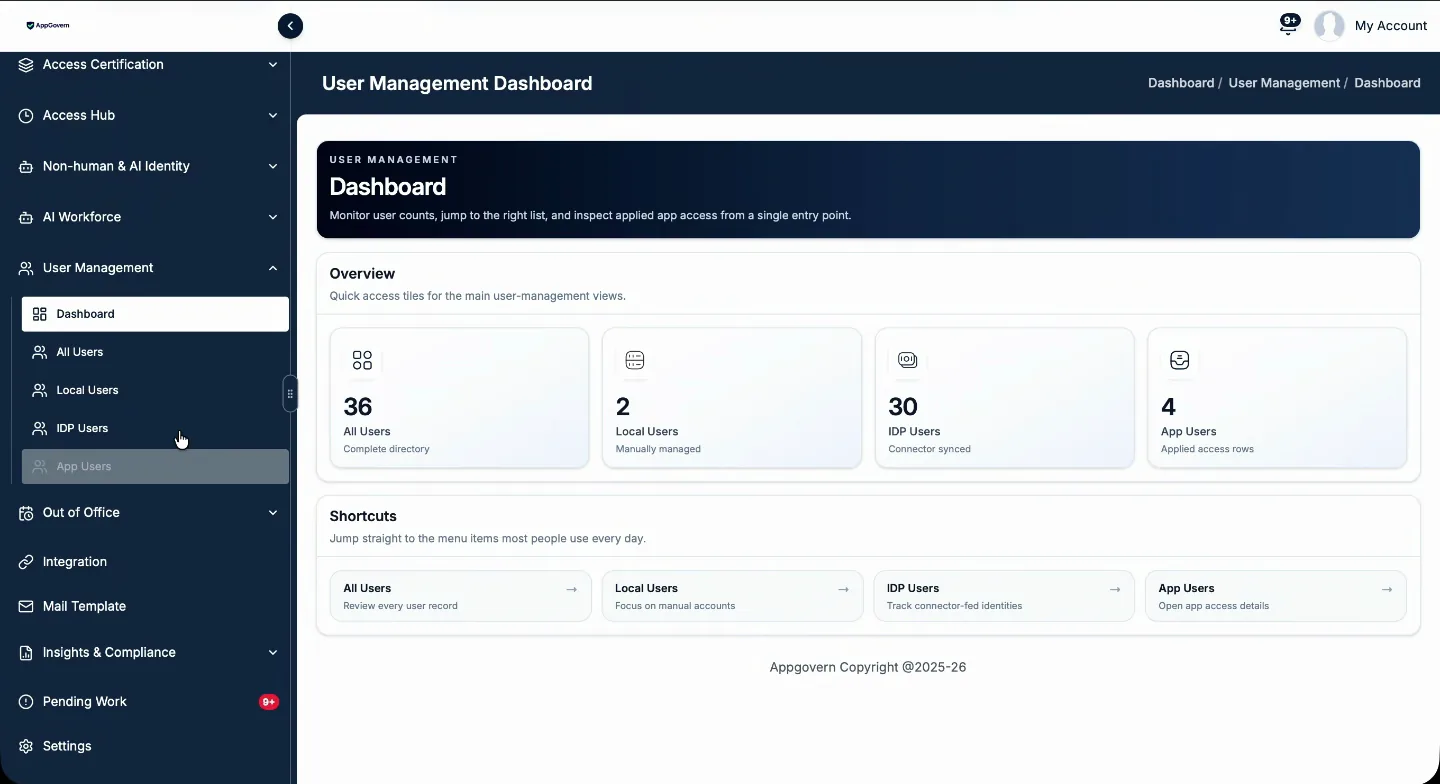
Identity provider data, connected to applications.
Every source in one place
Identity provider users, users created in AppGovern, and app users local to an application, each with its source.
Ownership on the person
See the apps, agents, and service accounts each person owns. When they leave, everything they owned is re-evaluated.
Notify from the record
Ask a person to claim, certify, or explain access directly from their record.
Turn identity data into governed decisions.
Identity data is most useful when it is connected to the apps people use, the access they hold, and the owners who can say whether that access is still right.
Access reviews with the right people in the loop.
One reviewer rarely has every answer. AppGovern spreads the review across the people who have the context for each decision.
- App owners validate access to the apps they are accountable for
- Managers confirm their people still need what they hold
- Employees confirm whether they still use their access
- Governance teams track flags, overdue items, and re-certification requests
Exceptions do not get lost in email.
Flagged and overdue items stay visible until someone closes them. When a decision needs another look, a re-certification request carries its status, notes, and review history with it.
- Raise and review re-certification requests
- Track request status and outcome
- Reviewer notes and history kept with the decision
Evidence of how access is governed.
Review decisions, activity history, and audit records are kept, so you can show an auditor how access governance runs, not just that it was scheduled.
- Every decision tied to a named reviewer
- Activity history per person and per app
- Exports for audit
One process. Different responsibilities.
Identity and governance teams
Run certification programs, watch exceptions, and keep the governance settings current.
App owners
Review access to the apps they own and give the business reason behind each decision.
People managers
Confirm the access held by the people on their team.
Questions about identity and access governance
Does AppGovern replace our identity provider?
Which identity providers can it connect to?
Is access certification the same as identity and access governance?
See it in your own tenant.
Free 14-day proof of concept. Read-only, success criteria agreed before we start, readout on day 14.