Every AI agent has an owner.
Do you know who?
Find every agent and MCP server in your environment, see the apps and tools each one reaches, and have a named business owner accept accountability and certify its access.
The problems this solves.
Sensitive data gets leaked
Employees connect agents and tools to company data from personal accounts, IDEs, and browser extensions. Security finds out from a bill or a breach.
Incident response starts from scratch
An agent misbehaves, a service account is compromised, an app is breached. The first hour is spent finding out who built it, who owns it, and who can turn it off.
See the problemAudits take weeks and get rubber-stamped
Agent and app access gets certified, if at all, by a generic admin with no idea what the identity does. Every cycle starts from scratch.
Every one of these has the same root cause: nobody owns it. See all six problems
The real screens.
Captured from a test tenant. Your tenant looks the same with your data in it.
Inventory, ownership, reach, and sign-off.
Find agents from their footprint, not a form.
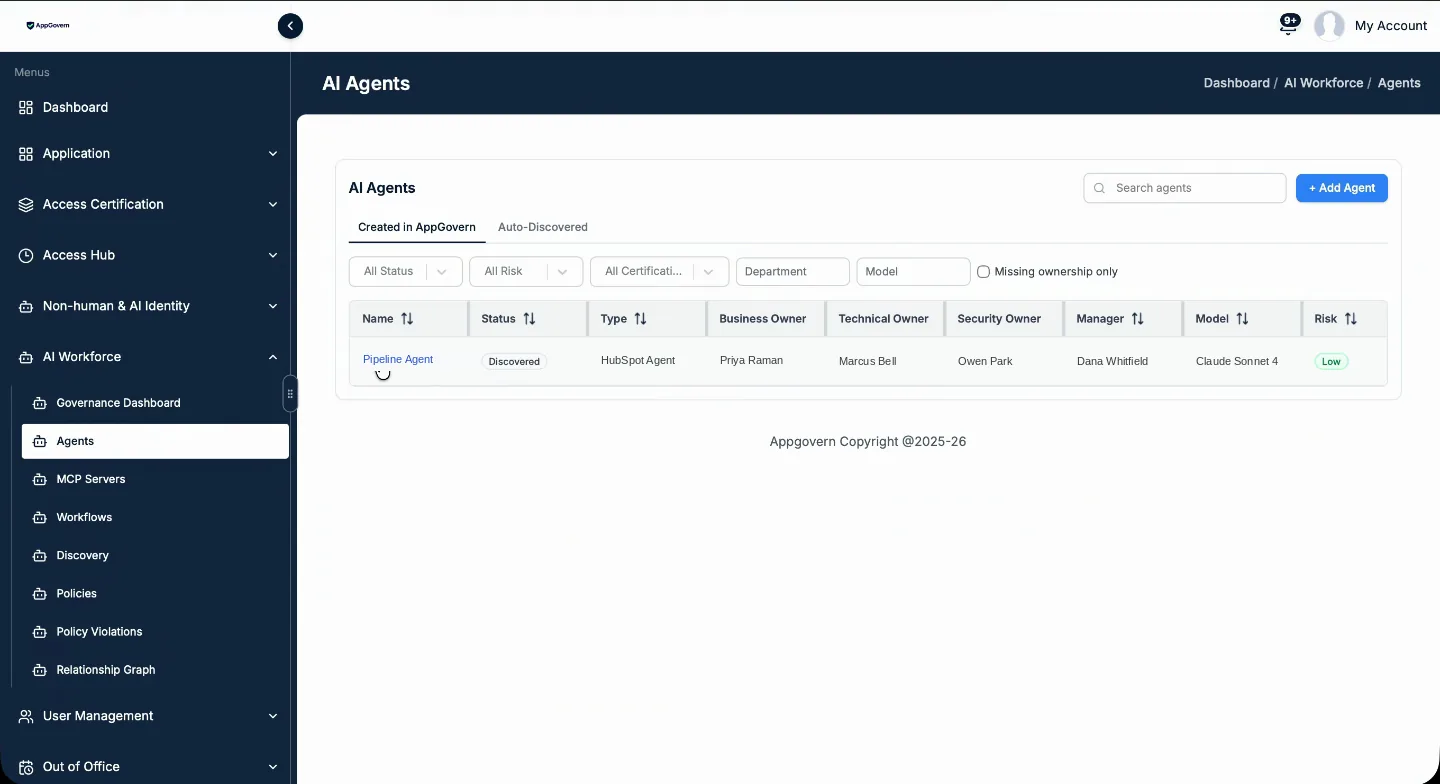
Agents are found from agent and MCP configuration files, AI framework and LLM SDK usage on managed devices, MCP endpoints, and agents fetched from the apps you connect. Employees can register the ones they built.
- Each agent is typed by where it lives: HubSpot, Claude, Codex, and more
- A Claude project that spins up thirty sub-agents shows as thirty agents
- Created and retired dates kept in the compliance report
A business owner on every agent.
Each agent carries a business owner, plus technical and security owners. When nobody owns an agent, probable owners are proposed and notified to claim it. When an owner leaves, the search runs again.
- The person who owns HubSpot owns the HubSpot agent
- Acceptance is timestamped in the audit log
- Two agents with the same name and different owners are two records
See what each agent reaches, and through what.
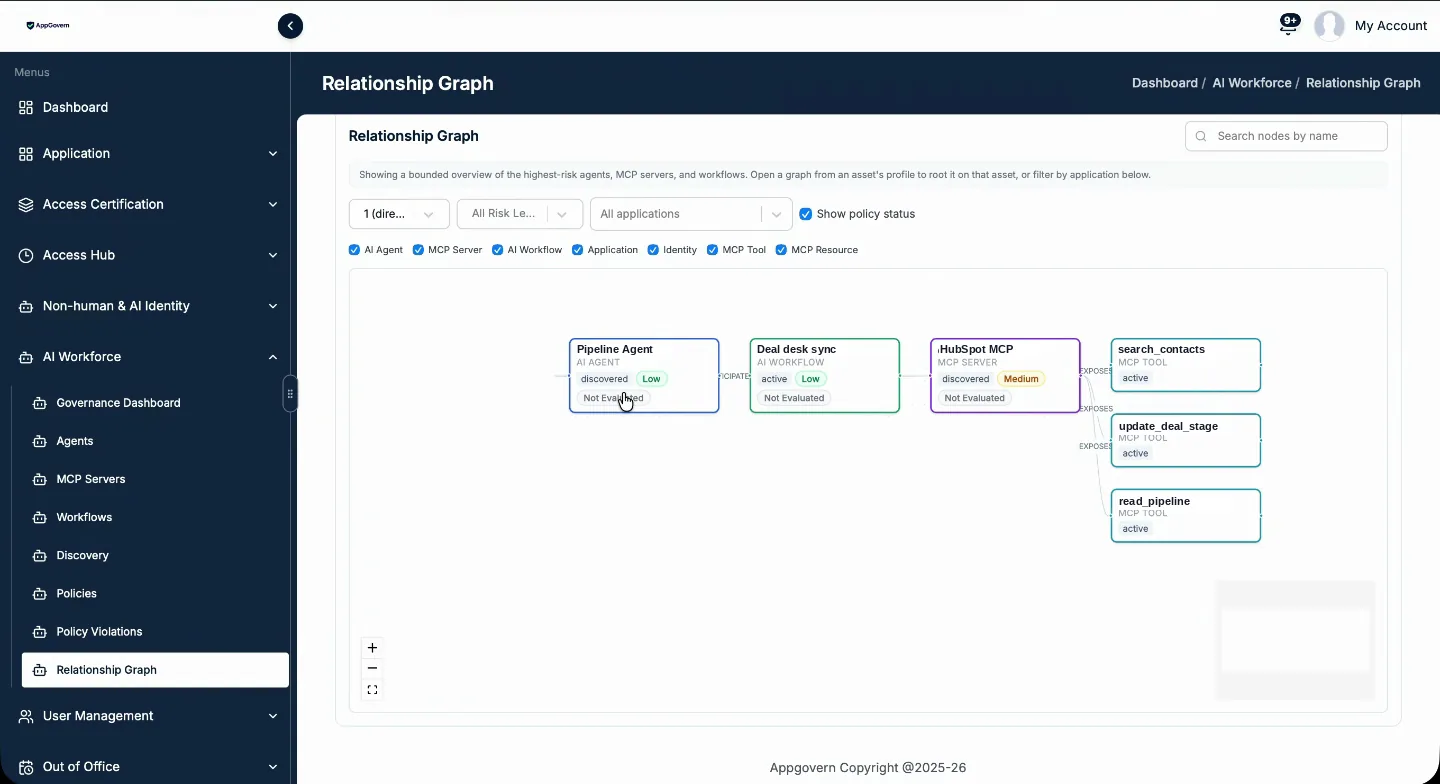
The relationship graph shows the path from a workflow to the agent, to the MCP servers it uses, to the tools those servers expose. Where you connect an agent’s endpoints, you also see what it fetches.
- MCP servers inventoried with their tools
- Tools pushed to the agent record
- Partial activity visibility where endpoints are connected
Rules you set. A human who gets told.
Policy rules on parameter, field, and value feed the risk score. When a rule trips, for example an agent running an admin command, the owner and security are alerted by email, webhook, or in the app.
- Risk weights are your policy, not ours
- Agent certification routed to the owner or a custom approver
- Guardrails and a kill switch are on the roadmap; today a person is told and acts
Questions about AI agents
Can AppGovern stop an agent when it goes wrong?
Do you see the prompts?
What is the difference between an agent and a service account?
See it in your own tenant.
Free 14-day proof of concept. Read-only, success criteria agreed before we start, readout on day 14.